Unleashing the Power: How We're Building a Better Canvas on the Web
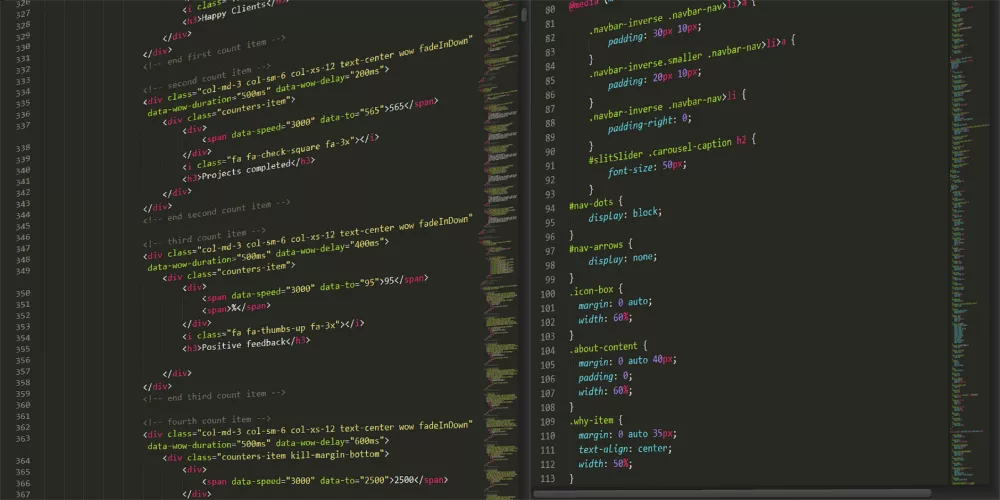
When we talk about the HTML <canvas> element, most of us probably think of it as this raw, pixel-level drawing surface in the browser. It's incredibly powerful, giving developers direct access to render graphics, animations, and even complex data visualizations. But let me tell you, working with the native Canvas API directly can sometimes feel like trying to paint a masterpiece with a tiny brush, pixel by painstaking pixel. That's why the idea of a 'better canvas' isn't about replacing the underlying technology, but rather about building richer, more intuitive, and significantly more performant layers on top of it. I've spent a lot of time wrestling with web graphics, and I can assure you, the tools we have now make all the difference.
Why We Need a 'Better Canvas' Experience
The standard 2D rendering context that comes with the <canvas> element is fantastic for many things. It allows for immediate mode rendering, which means you tell it what to draw, and it draws it right then and there. This approach is great for simple, static images or when you're updating small parts of the scene frequently. However, as soon as you start wanting to interact with individual shapes, move them around, or apply complex transformations, you hit a wall pretty fast.
Here are some of the challenges I've personally run into when sticking to the bare metal Canvas API:
- State Management: Keeping track of the positions, rotations, and scales of dozens or hundreds of objects becomes a real headache. You often have to re-draw the entire scene on every change, which can be inefficient.
- Event Handling: Detecting clicks or hovers on specific shapes? That's not built-in. You're left calculating hit tests manually, comparing mouse coordinates against the bounding boxes or even more complex geometry of your drawn objects. It's a lot of boilerplate.
- Performance for Complex Scenes: For very detailed graphics or rapidly animating elements, the JavaScript-driven 2D context can struggle to maintain a smooth 60 frames per second. It's doing all the heavy lifting on the CPU.
- 3D Graphics: If you're thinking about anything beyond flat 2D, the standard canvas context won't even get you started. You need a completely different API.
The Libraries That Transform Our Canvas Workflows
This is where 'better canvas' solutions truly shine. Developers, myself included, realized these pain points and built incredible libraries that abstract away much of the complexity, making canvas development far more enjoyable and efficient. These tools don't reinvent the wheel; they just give us much better vehicles to drive on that wheel.
For 2D Graphics: Simplifying Interaction and Animation
I find that for most interactive 2D applications, object-oriented libraries are a godsend. Instead of drawing lines and rectangles, you're working with 'rect' objects or 'circle' objects that have properties like x, y, width, height, and even methods for handling events.
- Fabric.js: This is a powerful library I've used quite a bit. It gives you an object model over the canvas, letting you create and manipulate shapes, text, and images as actual JavaScript objects. You can drag and drop them, resize, rotate, and even serialize your canvas state to JSON, which is super helpful for saving and loading designs.
- Konva.js: Another fantastic option that provides a 2D canvas library for desktop and mobile applications. It’s built on the HTML5 canvas, but it wraps it in an object-oriented way. It's known for its layer system and highly optimized drawing, making complex scenes much easier to manage and keep performant.
- PixiJS: Now, PixiJS is interesting because it's a 2D rendering engine that defaults to using WebGL for rendering, falling back to Canvas2D if WebGL isn't available. This means you get incredible performance for your 2D graphics, even for very complex animations or games. It's a game-changer for speed.
Stepping Into the Third Dimension with WebGL
When our ambitions stretch beyond two dimensions, the standard 2D canvas just won't cut it. That's when we turn to WebGL. WebGL is a JavaScript API for rendering interactive 3D and 2D graphics within any compatible web browser without the need for plug-ins. It's essentially the web's version of OpenGL ES. Working with raw WebGL is notoriously complex, requiring deep knowledge of shaders, matrix transformations, and buffer management. It's incredibly powerful but comes with a steep learning curve.
This is precisely why libraries like Three.js are so vital. Three.js is, in my opinion, the quintessential 'better canvas' solution for 3D. It wraps the low-level WebGL API in a much more approachable, object-oriented API. With Three.js, you're working with cameras, scenes, meshes, materials, and lights, rather than directly with vertices and shaders. It abstracts away so much of the complexity, making it possible for developers like us to create stunning 3D experiences in the browser without becoming graphics programming experts overnight. I mean, it handles all the heavy lifting of setting up the WebGL context, managing buffers, compiling shaders, and rendering your scene.
Under the Hood: WebGL and the Promise of WebGPU
The reason these 'better canvas' libraries can offer such incredible performance, especially for 3D and demanding 2D applications, often boils down to WebGL. Instead of drawing pixels one by one on the CPU (like the 2D canvas context does), WebGL offloads rendering tasks to the user's GPU. GPUs are designed specifically for parallel processing of graphics, making them incredibly efficient for this kind of work. This parallel power is what allows for smooth animations, complex visual effects, and high-polygon 3D models.
Looking to the future, we have WebGPU on the horizon. This new web standard is designed to be the successor to WebGL, offering even lower-level access to modern GPU capabilities. Think of it as giving us even finer-grained control over the graphics hardware, enabling even more sophisticated rendering techniques and better performance. It's a direct mapping to modern graphics APIs like Vulkan, Metal, and Direct3D 12. While it's still evolving, I'm genuinely excited about what this means for web graphics; it promises to unlock new levels of visual fidelity and speed for web applications.
Achieving Peak Performance with a Better Canvas
Even with fantastic libraries, it's still important to keep performance in mind. Here are a few things I always consider:
- Batching: When drawing many similar objects, try to batch draw calls. This reduces the overhead of communicating with the GPU. Libraries like PixiJS and Three.js handle this automatically for you to a large extent.
- Offscreen Canvas: This relatively new API lets you run canvas rendering operations in a Web Worker, preventing them from blocking the main thread. This is a big deal for keeping your UI responsive, especially during heavy drawing operations.
- Optimized Asset Loading: Make sure your images and other assets are appropriately sized and compressed. Loading huge, unoptimized textures can kill performance.
- Minimize State Changes: Every time you change properties like fill style, stroke color, or transformation matrix in the raw 2D context, there's a performance cost. Group similar drawing operations together.
Ultimately, a 'better canvas' isn't a single technology, but rather a holistic approach. It's about leveraging the foundational capabilities of the HTML canvas and WebGL, then building powerful, developer-friendly abstractions on top. These tools empower us to create stunning, interactive web experiences that were once only possible with native desktop applications. I think it's a super exciting time to be working with web graphics, and I can't wait to see what amazing things people build next with these evolving technologies.
About Editorial Team
Senior columnist and culture critic specializing in architectural designs, emerging high-growth systems, and contemporary philosophies.